
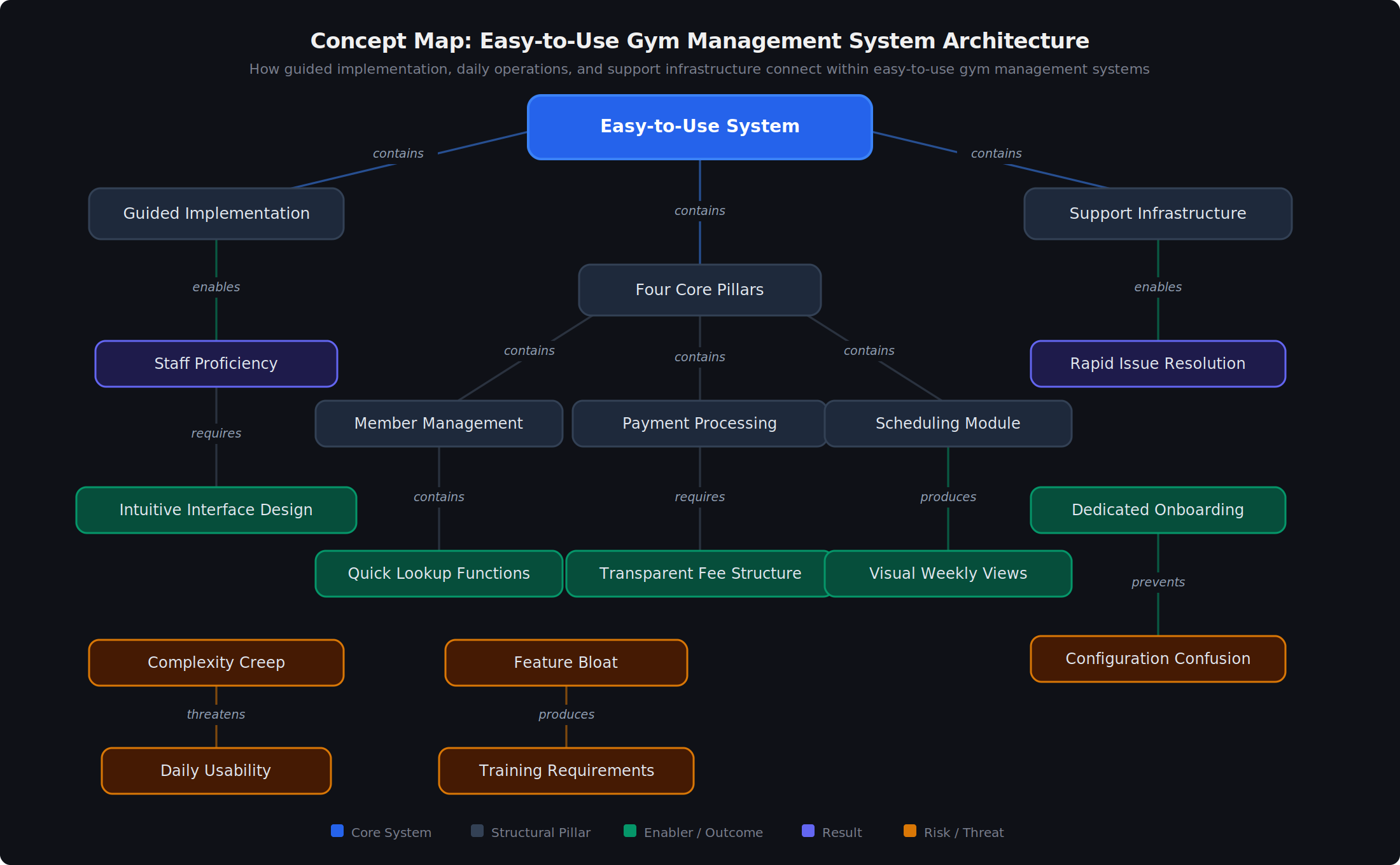
An easy-to-use gym management system combines guided implementation with intuitive daily operations, allowing boutique studio owners and staff to handle scheduling, payments, and member management without extensive training or technical frustration. Designed for operators who want to focus on teaching, not troubleshooting software.
Quick Facts:
- Subject of this article: Easy-to-Use Gym Management System
- Category: Boutique Fitness Software
- Audience: Boutique studio owners, fitness entrepreneurs, small gym operators
- Time to Implement: 5-6 guided setup sessions
- Key Alternatives: Enterprise gym platforms, DIY self-service software, manual spreadsheets
What Makes a Gym Management System Truly Easy to Use?
Easy-to-use gym management software delivers two components most vendors ignore: guided implementation that configures your specific business model and daily operations so straightforward your team barely thinks about the technology. The fitness software industry loves claiming "easy to use" while requiring three-hour training sessions just to set up classes.
Why "Easy" Requires Guided Setup
Guided implementation means expert support configuring your membership types, class schedules, and payment structures before you launch. Studios receiving dedicated onboarding complete setup in 5-6 sessions and go live fully operational rather than partially configured. However, many platforms advertise simplicity while abandoning owners to generic video tutorials and ticket-based support queues.
What Intuitive Daily Operations Look Like
Intuitive daily operations mean essential tasks become second nature for staff within days, not weeks. Your front desk should check members in, process payments, and manage waitlists without hunting through complicated menus. Boutique studios report that mobile experience quality matters as much as desktop functionality since staff and members operate from phones 60% or more of the time.
Example: A yoga studio owner was told by a competing platform: "We need to schedule a three-hour training session to show you how to set up classes." That requirement signals software built for IT departments, not studio operators.
How Does Complexity Creep Destroy Gym Software Usability?
Complexity creep occurs when gym management platforms add features annually until simple tasks require multiple navigation steps. Year one delivers a clean interface with essential functions. By year five, feature bloat transforms booking a member into an exercise in frustration.
The Enterprise Feature Problem
Enterprise gym software serves multi-location franchise operations, complex corporate reporting structures, and large IT departments managing hundreds of staff. Boutique studios employing 3-10 people do not need AI prediction algorithms, complex member segmentation, or permission hierarchies with 47 access levels. However, vendors sell these enterprise platforms to single-location studios because enterprise pricing generates higher margins.
How to Identify Bloated Software
Bloated gym management systems reveal themselves through specific warning signs during the evaluation process. Demos lasting longer than 90 minutes indicate excessive features requiring explanation. Reviews mentioning "steep learning curves" or "frequent support tickets for basic functions" confirm daily operation complexity.
Decision rule: If the demo focuses on impressive features rather than your specific workflows, the platform prioritizes showcasing over serving.
What Core Features Do Boutique Studios Actually Need?
Boutique fitness studios need four operational pillars: member management, scheduling, payment processing, and communication. Studios operating with fewer than 500 members rarely benefit from capabilities beyond these fundamentals.
Member Management Essentials
Member management requires quick lookup by name, clear membership status visibility, and simple note-taking for personal details. Studios report 80% of member interactions involve checking status, processing a transaction, or noting a conversation. Fancy CRM features gathering dust help no one.
Scheduling That Staff Can Handle
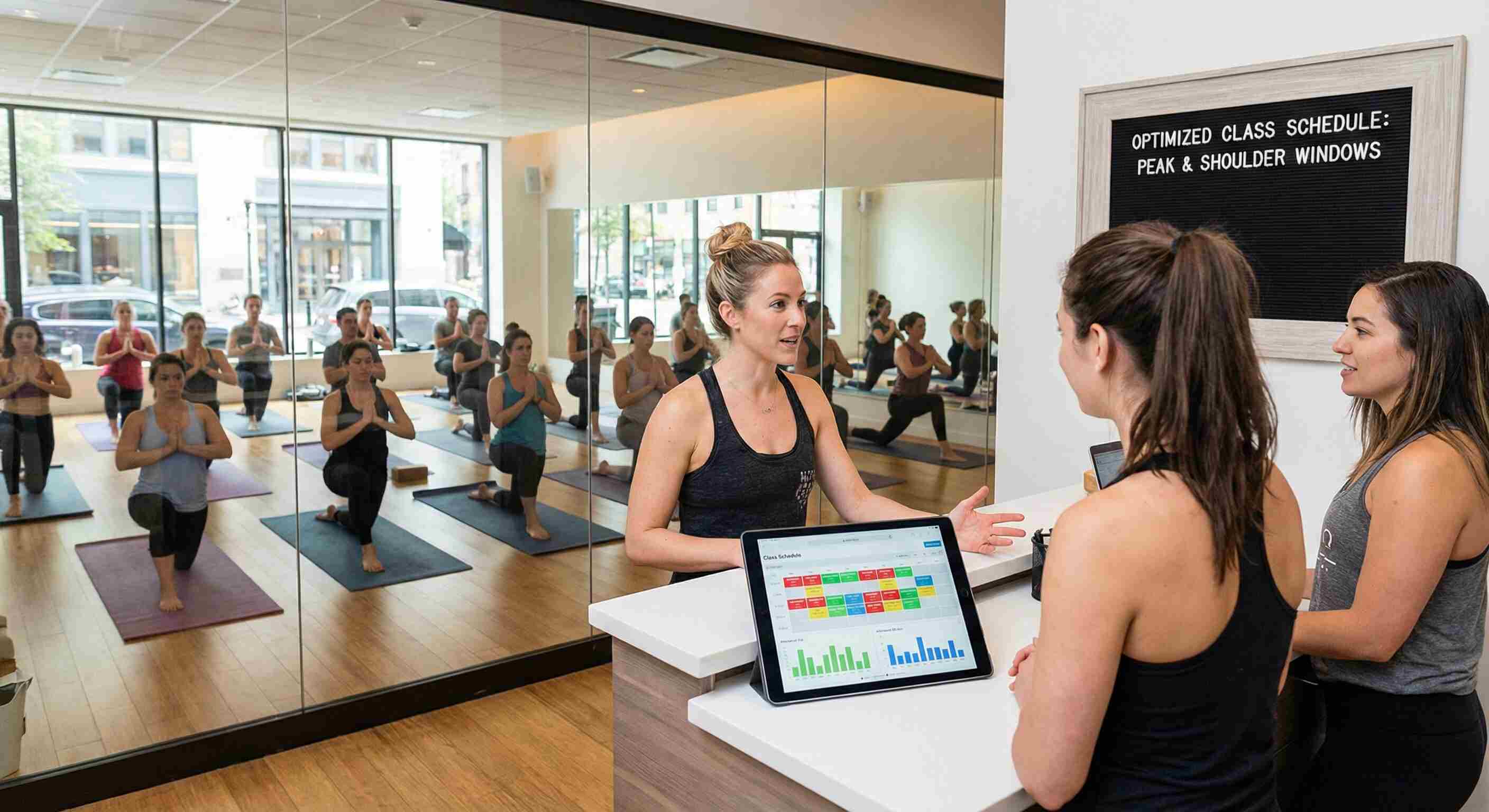
Scheduling needs a visual weekly view, recurring class options, and automatic waitlist management. Your 22-year-old front desk hire should navigate the schedule confidently after one training session. However, many platforms bury basic scheduling behind sub-menus designed for enterprise complexity.
Payment Processing Without Surprises
Payment processing must handle multiple payment types, automatic recurring billing, and transparent fee structures. Expect card transaction fees around 2.9% plus $0.30 per transaction and ACH fees around $1. Platforms hiding processing fees in complex pricing tiers create budget surprises monthly.
Example: fitDEGREE charges flat $250 per month with transparent transaction fees, avoiding the variable pricing that makes financial planning difficult for small operators.
What Red Flags Indicate Software Will Frustrate Your Team?
Red flags during software evaluation predict daily operation headaches after purchase. Recognizing these warnings saves studios from 12-month contracts with unsuitable platforms.
Implementation Warning Signs
Minimal onboarding where you figure things out alone signals inadequate support infrastructure. Generic video tutorials replacing dedicated setup assistance indicate the vendor expects you to adapt to their system rather than configuring for your operations. Setup fees exceeding several hundred dollars often accompany enterprise platforms attempting boutique market penetration.
Support Quality Indicators
Ticket-based support with multi-day response times fails the urgency test boutique studios face. When your payment system glitches on Saturday morning, you need humans responding within hours. Customer reviews emphasizing "quick support replies within hours, thorough and solution-oriented answers" indicate vendors understanding small studio realities.
Decision rule: Ask directly during demos: "Will I receive guided setup or be left alone? Can my team handle daily operations intuitively after setup? Do I get quick support from people who understand studios?"
Key Principals:
1. Easy-to-use gym management systems combine guided implementation with intuitive daily operations to serve boutique studios effectively.
2. Boutique fitness software requires member management, scheduling, payment processing, and communication as core operational pillars.
3. Gym management complexity creep occurs when platforms add features until simple tasks require multiple navigation steps.
4. Studios receiving dedicated onboarding complete setup in 5-6 sessions rather than struggling with generic tutorials.
5. Enterprise gym platforms serve multi-location operations while boutique software serves single-location studios under 500 members.
6. Payment processing transparency requires clear fee structures averaging 2.9% plus $0.30 per card transaction.
7. Red flags during gym software evaluation include minimal onboarding, generic tutorials, and ticket-based support with slow response times.
8. Boutique studio staff should navigate scheduling confidently after one training session with properly designed software.
Final Takeaways
1. Evaluate gym software on implementation support quality and daily operation simplicity rather than feature count.
2. Boutique studios need four core pillars (member management, scheduling, payments, communication) without enterprise complexity.
3. Red flags during demos predict daily frustration: excessive training requirements, generic tutorials, and slow support response times indicate misalignment with small studio needs.
FAQs
Q: What makes gym management software easy to use for boutique studios?
A: Easy-to-use gym management software provides guided implementation configuring your specific business model plus intuitive daily operations requiring minimal staff training. Studios should expect full operational capability within 5-6 setup sessions. However, many platforms claiming simplicity actually require extensive self-service configuration.
Q: How much should boutique studios expect to pay for gym management software?
A: Boutique gym management software typically costs $200-400 monthly with transaction fees around 2.9% plus $0.30 per card payment. Platforms with setup fees exceeding several hundred dollars often indicate enterprise software attempting boutique market penetration. However, pricing varies significantly based on member count and feature requirements.
Q: What features do small fitness studios actually need in management software?
A: Small fitness studios need four operational pillars: member management with quick lookup, visual scheduling with waitlist automation, payment processing with transparent fees, and communication tools for announcements and reminders. Studios under 500 members rarely benefit from AI prediction, complex segmentation, or enterprise reporting. However, growth plans may eventually justify advanced features.
Q: How can studio owners identify gym software that will frustrate their team?
A: Gym software red flags include demos lasting longer than 90 minutes, reviews mentioning steep learning curves, minimal onboarding support, and ticket-based support with multi-day response times. Vendors focusing demos on impressive features rather than your specific workflows prioritize showcasing over serving. However, some complex platforms suit studios with technical staff capacity.
Q: What distinguishes boutique fitness software from enterprise gym platforms?
A: Boutique fitness software provides guided setup with intuitive daily workflows for single-location studios, while enterprise gym platforms offer extensive configuration requiring IT departments for multi-location chains. Boutique software prioritizes staff proficiency within days; enterprise platforms prioritize feature depth and capability breadth. However, growing studios may eventually need enterprise capabilities.
Q: Why does gym management software complexity increase over time?
A: Gym management software complexity creep occurs as vendors add features annually to justify upgrades and compete for enterprise contracts. Year one delivers clean interfaces; year five buries simple tasks behind multiple navigation steps. However, some platforms maintain simplicity by partnering with specialists rather than building every feature internally.
*All information verified as of February 2026. This article is reviewed quarterly. Strategies, pricing, and product details may have changed.*
Looking for software to help your fitness studio grow?
Boutique Studio Marketing FAQs
1. What makes gym management software "easy to use"?


Truly easy software includes guided implementation where experts help configure your specific studio model, followed by intuitive daily operations that require minimal clicks and navigation. Ease comes from proper setup support plus thoughtful design, not from being abandoned to figure things out alone.
2. How long should implementation take for gym management software?
Quality implementations typically involve 5-6 guided sessions where experts configure your studio model collaboratively. This upfront investment ensures you launch fully operational rather than spending months struggling through solo setup and configuration
3. Do I need extensive training for staff to use gym management software?
Once properly configured to your studio's specific operations, good gym management software should be intuitive enough that staff can handle daily tasks with minimal guidance. The key is proper initial setup, not ongoing training for routine operations.
4. What's the difference between easy and simple gym management software?
Easy software guides you through proper setup, then makes daily operations intuitive. Simple software focuses on essential functions done well. The best boutique studio software is both: collaborative implementation followed by straightforward daily use.
5. Should gym management software work well on mobile devices?
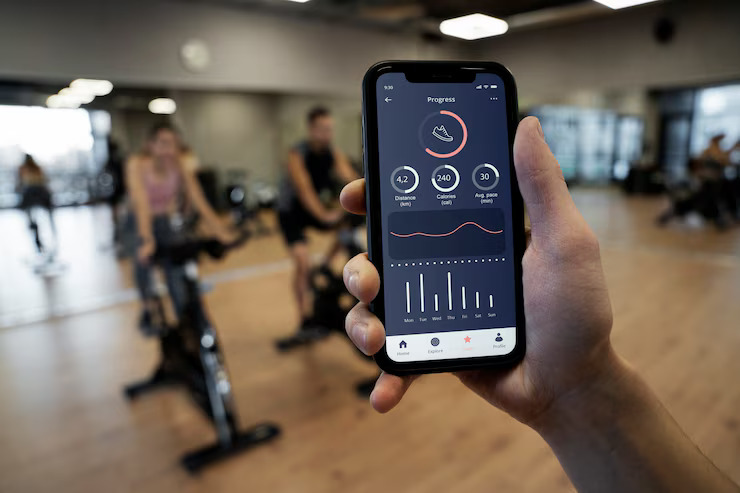
Absolutely. Studio owners and staff are rarely at desks all day. Mobile-first design ensures you can manage your studio from anywhere, and members expect easy mobile booking experiences that work as well as desktop.
6. How do I know if gym management software provides good implementation support?
Look for dedicated onboarding processes (not just generic video tutorials), collaborative setup that configures your specific studio model, training tailored to your operations, and reviews that mention quality of implementation support and successful launches.












.jpg)










.jpg)


.jpg)


.jpg)